
A member working on a laptop in a focus booth at a Clayworks centre

ClayConnect · Internet upgrades for Clayworks members

20 Mbps comes with every seat. Some work needs more.

When your team computes in the cloud, renders in real time or works on remote machines, ClayConnect gives every seat a bigger lane: 50, 100 or 200+ Mbps.

Talk to our IT team

Talk to our IT team

No commitment. A 15-minute call to size your lane.

See the upgrade plans

Available at all Clayworks centres across Bengaluru

  • 20 Mbps on every seat
  • Two ISPs
  • Wi-Fi 6
  • Calls given priority
  • 24/7 monitoring on Team

Up to 200+ Mbps per seat

Up to 10× the 20 Mbps every seat already gets.

Automatic failover

A second internet line takes over if the main one fails.

No hardware or downtime

Switched on from your next billing cycle.

Quoted for your centre

A written recommendation and quote after a short call.

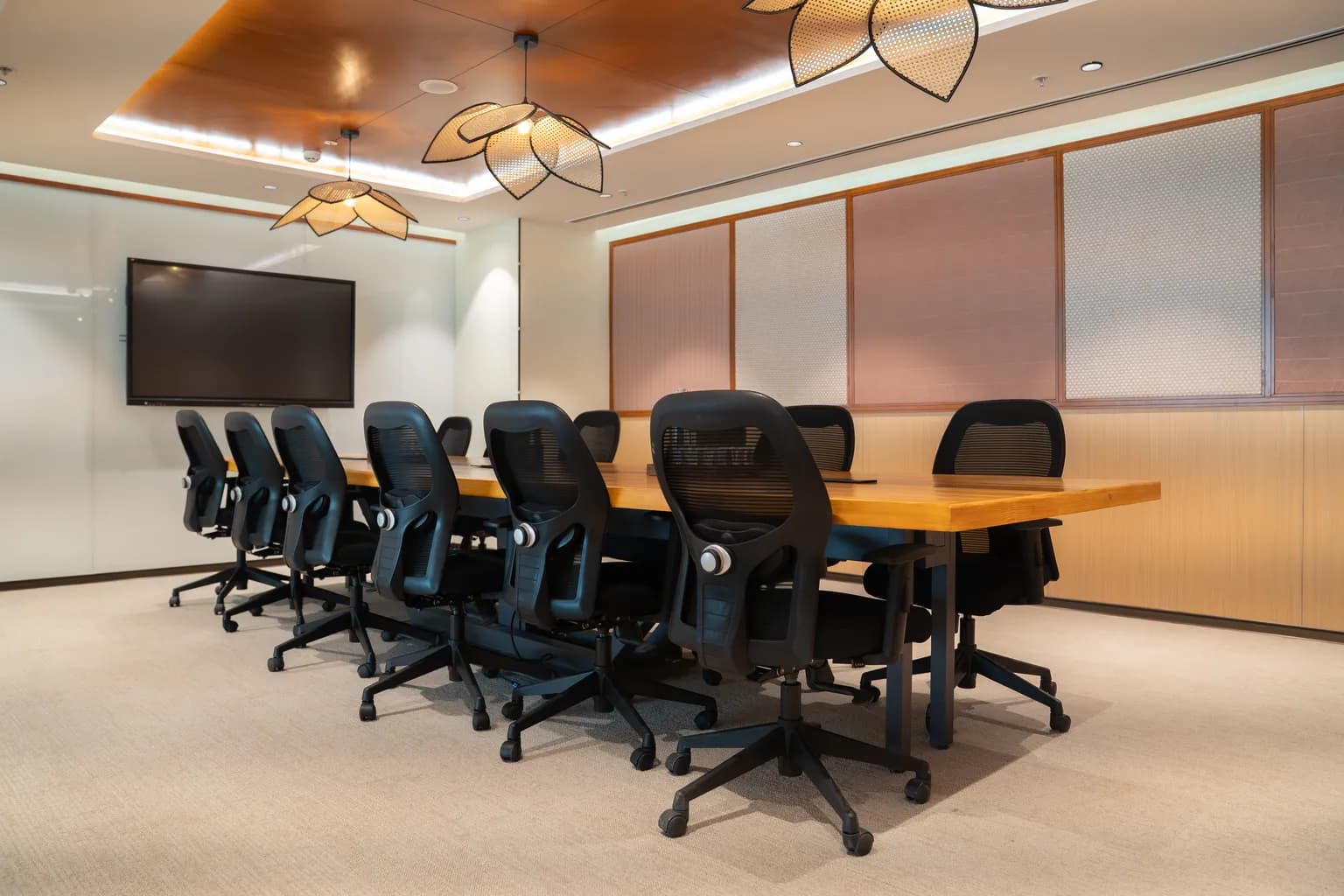
A Clayworks meeting room with a video-call screen and a long timber table

WHAT YOU ALREADY HAVE

Your seat already handles everyday work.

The 20 Mbps on every Clayworks seat stays on. A backup internet line takes over automatically if the main one fails, so your connection doesn't drop.

  • HD video callsZoom, Teams and Meet, with calls given priority
  • Email and documentsGoogle Workspace, Microsoft 365, Slack
  • Everyday SaaSCRM, accounting, project tools, browsing
  • Light uploadsDecks, spreadsheets and photos

For most teams, 20 Mbps is enough. If yours runs heavier workloads, read on.

WHEN YOUR WORK MOVES TO THE CLOUD

Some teams do their heaviest work on other machines.

When the processing happens on a cloud server or a remote workstation, your desk only sends and receives, so your connection sets the pace.

Cloud computing

Engineering, DevOps, SaaS teams

Builds, containers and deployments run on AWS, Azure or GCP. Every push, pull and sync goes through your connection.

Usually needs 50–100 Mbps per seat

Real-time rendering

Architecture, 3D, gaming, product design

Walkthroughs, visualisation and game builds stream frames as you work, and render outputs are heavy files to upload and share.

Usually needs 100–200+ Mbps per seat

Remote workstations and cloud GPUs

Animation, VFX, engineering simulation

Your team rents processing power instead of buying it, then works on that machine over a live video stream. Any lag shows up as a blurry, delayed screen.

Usually needs 100–200+ Mbps per seat

Large datasets and AI models

Data, analytics, AI teams

Training data, model checkpoints and analytics exports run to tens of gigabytes. Upload time adds directly to project time.

Usually needs 100–200+ Mbps per seat
  • Wi-Fi 6 / 6E
  • Dual-ISP SD-WAN failover
  • WPA3 encryption
  • Private VLAN per company
  • Calls given priority

HOW MUCH TIME YOU GET BACK

An afternoon at 20 Mbps.
Half an hour at 200.

Pick a file size and watch each lane upload it at its real relative speed.

Standard20 Mbps
1 h 7 min
Essential50 Mbps
27 min
Team100 Mbps
13 min
Enterprise200 Mbps
6 min 40 s

Enterprise gives you back 1 h on every 10 GB upload. Calculated at full line speed for one transfer; real-world times depend on the destination server and file type.

THREE WAYS TO UPGRADE

Find the right lane for your team.

Every upgrade runs on the same Clayworks network you already use. Pricing varies by centre and is quoted after your call.

Essential

50 Mbps per seat

2.5× the standard lane

Teams moving large files and syncing to the cloud all day.

  • Unlimited usage
  • Instant login by OTP over SMS, WhatsApp or email
  • Seamless handover between floors
  • Fake-network detection and blocking
  • 12-month compliance logs, fully managed

Enquire about Essential
Built for cloud computing

Team

100 Mbps per seat

5× the standard lane

Engineering and product teams that build and deploy in the cloud.

  • Everything in Essential, plus
  • A private network name for your company
  • Individual logins for each person
  • Traffic isolated from every other company in the building
  • Monitored 24/7, with issues flagged before you notice
  • Admin dashboard for your IT lead
Enquire about Team

Enterprise

200+ Mbps per seat

10× the standard lane or more

Real-time rendering, remote workstations, cloud GPUs and AI workloads.

  • Everything in Team, plus
  • Dedicated bandwidth, sized to your workload
  • Firewall and intrusion prevention
  • Access rules by person and time of day
  • Printers and shared devices visible only to your team
  • Dedicated IP and audit-ready reports on demand
Enquire about Enterprise

Standard, included with every seat: 20 Mbps, uninterrupted with a backup line, calls given priority and Wi-Fi 6 across the centre.

SIGNS YOU'VE OUTGROWN 20 MBPS

Sound familiar?
It's time to upgrade.

Talk to our IT team
  • Renders take longer to upload than to produce.
  • Remote desktop sessions turn blurry or lag behind your mouse.
  • Pushing a build or dataset slows down the rest of the team.
  • People stay late or come in on weekends to finish big uploads.

FROM ENQUIRY TO FASTER INTERNET

Live in one
billing cycle.

Talk to our IT team
  1. 01

    Tell us what you run

    Two minutes. Your team size, centre, workloads and a good time to call.

  2. 02

    Talk to our IT team

    They call in your slot and ask about your cloud setup, tools and peak usage.

  3. 03

    Get a proposal

    A recommended plan and a quote for your centre, in writing.

  4. 04

    Go live

    Switched on from your next billing cycle. No hardware, no installation, no downtime.

A FEW THINGS TO KNOW

Questions?
Let's clear them up.

Ask our IT team
Is 20 Mbps enough for my team?

For most teams, yes. The 20 Mbps on every seat covers HD video calls, email, documents and the cloud apps most teams use every day. Teams that compute in the cloud, render in real time, work on remote machines or move large datasets usually need 50 to 200+ Mbps per seat.

What happens if the main internet line goes down?

Every centre runs a primary fibre line and a second, independent ISP. If the main line fails, the backup takes over automatically, so your connection doesn't drop.

Do we need new hardware or downtime to upgrade?

No. Upgrades run on the same Clayworks network you already use, with no hardware, no installation and no downtime. They switch on from your next billing cycle.

How much does an upgrade cost?

Pricing varies by centre. After a short call, our IT team sends a written recommendation and a quote for your centre.

Which centres offer ClayConnect?

ClayConnect upgrades are available at all Clayworks centres.

What does our IT lead get on Team and Enterprise?

Dedicated VLAN per tenant on Team and Enterprise, enforced at AP, switch and edge. Team adds a private network name, individual logins and an admin dashboard; Enterprise adds a firewall with intrusion prevention, access rules, a dedicated IP and audit-ready reports.

A lounge with sofas and planters at a Clayworks centre

CLAYCONNECT

Tell us what your team runs. We'll size the lane.

Talk to our IT team

TALK TO OUR IT TEAM

No commitment.
Just the right lane.

The call takes about 15 minutes, and if 20 Mbps is enough for you, we'll tell you.

  • Our IT team calls at a time that suits you
  • A written recommendation and a quote for your centre
  • Live from your next billing cycle

Upgrade your team's internet

Share a few details and our IT team will call you.

WhatsApp